How To Install Adobe Lightroom Presets
There are two type of software: Lightroom Classic & Lightroom (mobile) and below I’ll show you how to install Lightroom presets!
Adobe Lightroom presets are essentially pre-set configurations of various image editing settings used in Adobe Lightroom, a popular photo editing and management software.
These presets allow you to quickly and efficiently apply a specific look or style to your photographs with just a few clicks.
See also: Best Lightroom Guides
Here’s a step-by-step guide on how to install Lightroom presets:
Adobe Lightroom Classic
| 1 | Open Lightroom Classic on your computer, and click on the Develop module. |
| 2 | Go to the Presets panel, and click the plus sign. |
| 3 | The drop-down menu will have an option for “import presets” – click there. |
| 4 | Navigate to the location of your downloaded presets, select them, and click ‘Import’. |
Adobe Lightroom (Mobile App)
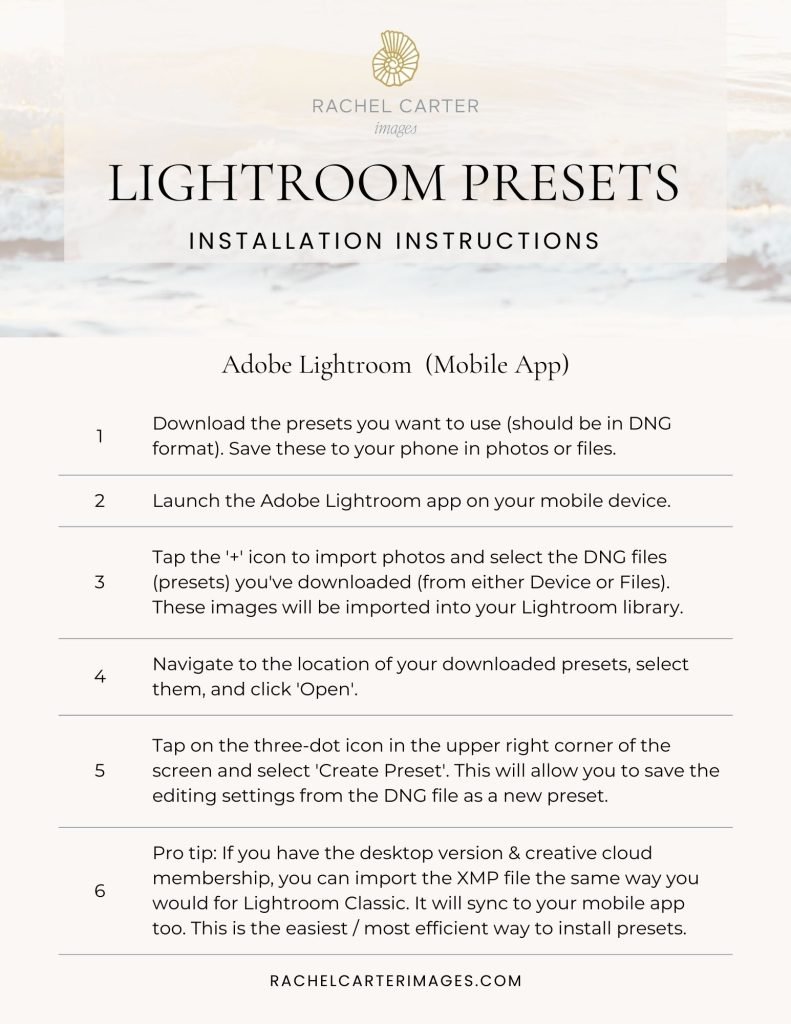
| 1 | Download the presets you want to use (should be in DNG format). Save these to your phone in photos or files. |
| 2 | Launch the Adobe Lightroom app on your mobile device. |
| 3 | Tap the ‘+’ icon to import photos and select the DNG files (presets) you’ve downloaded (from either Device or Files). These images will be imported into your Lightroom library. |
| 4 | Navigate to the location of your downloaded presets, select them, and click ‘Import’. |
| 5 | Tap on the three-dot icon in the upper right corner of the screen and select ‘Create Preset’. This will allow you to save the editing settings from the DNG file as a new preset. |
| 6 | Pro tip: If you have the desktop version & creative cloud membership, you can import the XMP file the same way you would for Lightroom Classic. It will sync to your mobile app too. This is the easiest / most efficient way to install presets. |
Lightroom presets are more than just shortcuts; they are a blend of efficiency, creativity, and learning.
Whether you’re a seasoned photographer or a hobbyist, presets can refine your workflow, enhance the visual appeal of your images, and expand your creative horizons. They offer a balance between automation and personalization, making them a valuable tool in the digital photography era.
Lightroom Preset
Installation Instructions
Get easy-to-follow instructions to download Lightroom presets.
Includes a pdf for Lightroom Classic (desktop) and the Lightroom mobile app.


arancia lightroom preset
This preset works on both desktop and mobile versions of Adobe Lightroom. While it was designed for blue hour images, I can’t wait to see where your creativity takes you!