I Used This One Preset to Edit My Pumpkin Photos in Germany – And I’m Obsessed 🍁
Finding Fall in Germany
I only had a few days in Germany, but I tried to soak in as much fall as I possibly could. Living on the coast of North Carolina doesn’t give me much of a real autumn, so being surrounded by crisp air, golden leaves, and fields of pumpkins felt like a dream come true. 🍂
The textures of fall – the roughness of pumpkin skin, the crunch of dry leaves, the golden light filtering through trees – are some of my favorite things to photograph.

My Travel Setup: Keeping It Simple, Staying Creative
For this quick trip, I packed intentionally:
- Sony A7R V and Sony A7 IV camera bodies
- 135mm f/1.8 lens for creamy background blur and detail
- 24–70mm f/2.8 GM II for flexibility when exploring
That setup gave me everything I needed for capturing both close-up textures and wide scenic shots. The light was gorgeous almost the entire time I was there – soft, warm, and far better than I expected. It made editing pure joy once I got home.
This post contains links to affiliate websites, such as Amazon, and I receive an affiliate commission for any purchases made by you using these links. I appreciate your support!
Why I Used the Everglades Explorer Preset from Luxe Lens
So many photos from my trip were edited with the Everglades Explorer preset from Luxe Lens.
The moment I applied it, everything clicked. The pumpkins glowed with warmth, the sky softened into that dreamy fall haze, and the colors felt true to what I experienced in person – rich, grounded, and a little nostalgic.
This preset is part of the Wanderlust 2.0 Collection, which is designed for travelers and anyone who wants their photos to feel authentic and full of life. It’s quickly become one of my favorites for editing everything from cozy autumn scenes to faraway city adventures.
👉 Get the Everglades Explorer Preset here

Why Lightroom Presets Are a Game-Changer
Editing can be one of the most rewarding parts of photography, but also one of the most time-consuming. Lightroom presets make that process smoother and more creative.
Here’s why I love using them:
- They save time. You can edit an entire gallery in minutes.
- They keep your look consistent. Whether you’re photographing pumpkins or sunsets, your colors and tones stay cohesive.
- They’re flexible. You can use them on Lightroom Classic (desktop) or Lightroom Mobile, which is perfect for editing while you travel.
- They’re fully adjustable. You can fine-tune each slider to match your own creative vision.
Presets don’t take away your control, they give you a starting point to build from.
How This Preset Changed My Fall Photos
The Everglades Explorer preset enhanced my photos in all the right ways:
- Warm, glowing tones without oversaturation
- Soft contrast that keeps details in both highlights and shadows
- Natural brightness that flatters skin tones and landscapes
- Balanced colors that make autumn textures come alive
It gave my entire gallery a cohesive, travel-journal feel – like every image was part of the same golden story.

Simplicity Brings Creative Freedom
Sometimes, keeping things simple gives you more room to play. Limiting myself to one preset and a small travel kit reminded me that creativity doesn’t always need more gear — it just needs intention.
The Everglades Explorer preset freed me from over-editing and let me focus on what I actually love: capturing light, texture, and emotion.

For My Fellow Travelers and Creatives
If you love photographing warm light, cozy details, or just want your travel photos to look more intentional and cohesive, the Everglades Explorer preset is a must-have.
It’s easy to use, works on desktop and mobile, and helps your images tell a consistent, beautiful story – without hours of editing.
👉 Try the Everglades Explorer Preset from Luxe Lens
Even though my time in Germany was short, this preset helped me hold onto the feeling of fall a little longer. And honestly, I’m already dreaming about using it on my next trip.

SEE MORE OF MY LIGHTROOM PRESET POSTS HERE.
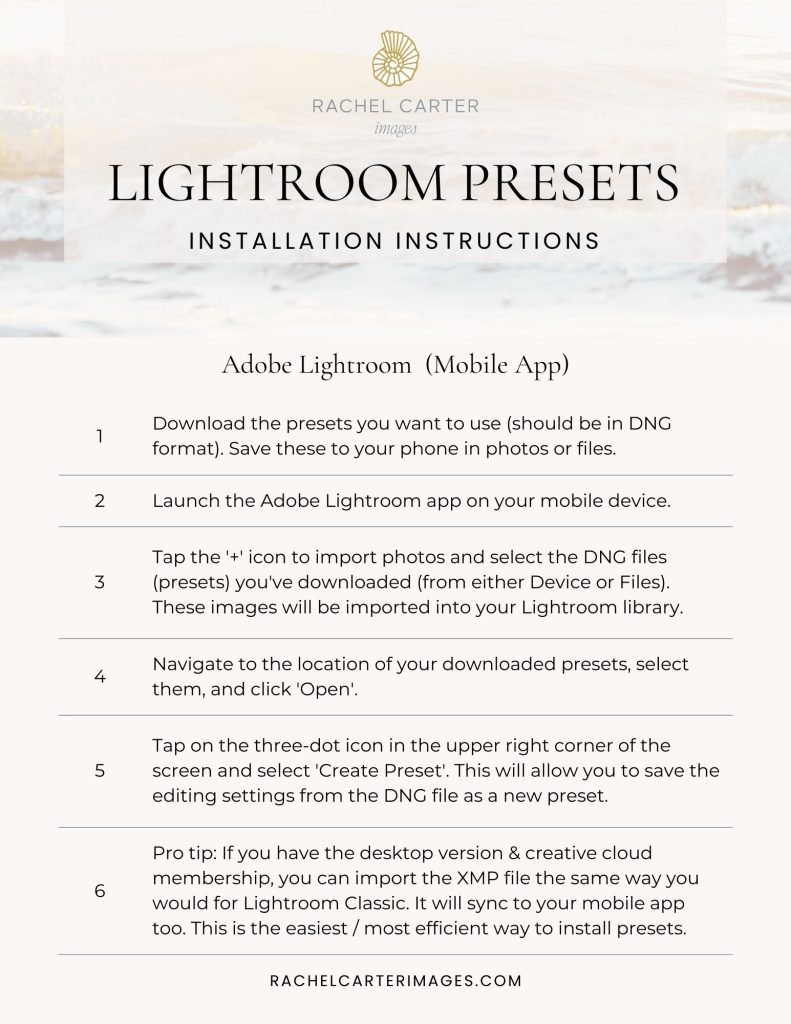
Lightroom Preset
Installation Instructions
Get easy-to-follow instructions to download Lightroom presets.
Includes a pdf for Lightroom Classic (desktop) and the Lightroom mobile app.